Why Everyone in Web3 Is a Target
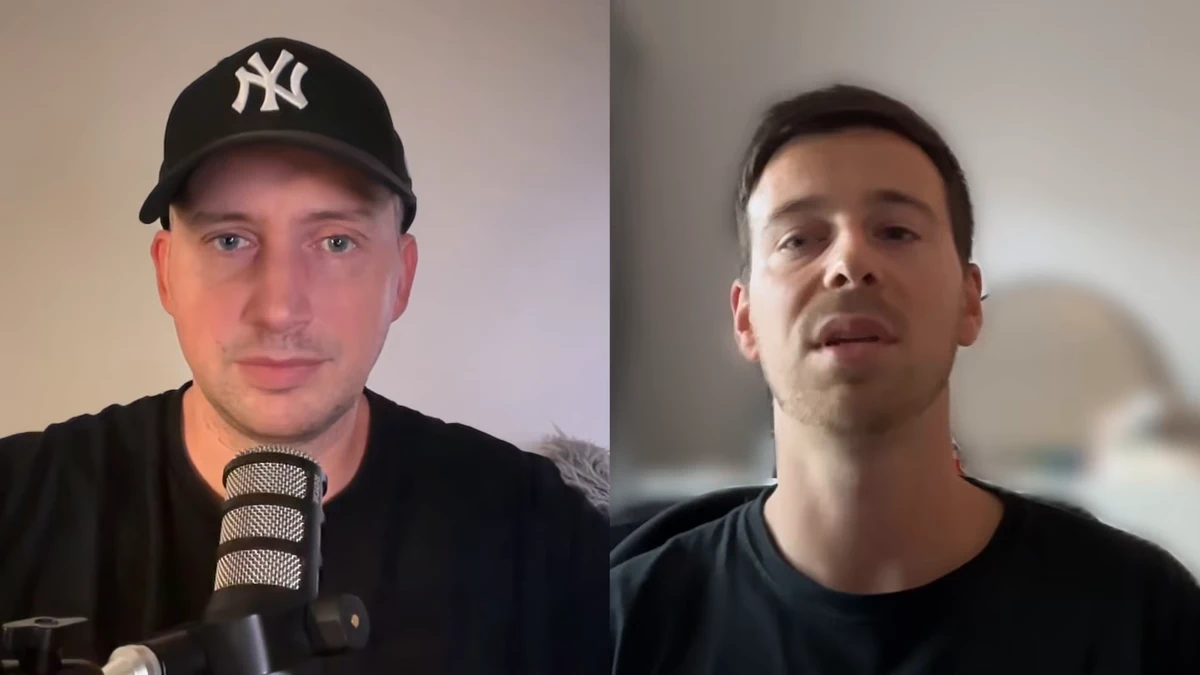
Cédric Beau hosted Louis, a Web3 security expert at OpSek, to understand why drained wallets and physical attacks keep happening. Louis explained that attackers see this as a business. If the reward is crypto and the cost of running phishing campaigns keeps dropping with AI and automation, they will keep coming. That means everyone is a potential target, no matter the size of their portfolio.
Recent news shows how fast things move. PHP flaws, TLS issues, Ledger device tampering, and the Bybit hack all created panic and new opportunities for scammers. Louis says the best time to improve security is today, before an incident happens. Louis recommends starting by updating every device when a patch is released, because those updates often close actively exploited holes.
Human Emotion Is the Main Attack Vector
Louis calls this the human factor. Fake support calls, urgent emails, and classic scams like the CEO fraud all work because they create panic. The message is always the same: “act now, move your funds, verify your seed.” In reality, a legitimate urgent situation rarely requires anyone to bypass security within seconds. If something feels different from the hundred times it was done before, Louis advises stopping and checking.
The Bybit attack is a perfect example. Beyond any technical bug, the attackers socially engineered people over time and waited for the right moment. Louis pointed out that most stolen funds today begin with operational security failures, often a compromised computer or a manipulated employee, rather than a smart contract vulnerability.
Securing Computers and Accounts First
Louis asks two simple questions to assess exposure. If a PC or phone is stolen and locked, does the owner still have access to data and funds? If it is stolen unlocked, what could someone take in two clicks? Many people realize they could lose everything. That is the starting point for building better habits.
Louis recommends enabling full disk encryption on the computer, which means FileVault on a Mac, then adding a firewall. For Mac, he points to the free Objective-See tools: LuLu acts as a firewall that alerts the user when an app tries an external connection, and BlockBlock warns about persistent launch agents. Both integrate with VirusTotal and show a simple green or red flag. These free tools are a solid first layer.
For accounts, Louis recommends a password manager like 1Password or KeePass, with one firm rule: a seed phrase never goes in there. The next step is a YubiKey. It costs around 60 euros and protects against phishing and stolen authentication codes. SMS and authenticator app codes can be intercepted; a physical key cannot be phished the same way. Louis's minimum, if nothing else gets done: a YubiKey on email and exchange accounts.
Hardware Wallets and Seed Phrase Discipline
Louis is blunt about hot wallets: if they are still used for serious holdings, it is a question of time before funds are lost. A hardware wallet keeps private keys on an external device, outside the computer. When buying, Louis recommends ordering directly from the manufacturer or from a verified Amazon seller, and considering delivery to a locker to avoid linking a home address to the purchase.
The recent tampered Ledger devices from Malaysia show why relying on a single brand blindly is risky. Louis recommends mixing hardware wallets from different makers, such as Ledger and Trezor, and splitting holdings across different seeds. That way one compromised device does not expose everything.
The seed phrase itself should never touch a computer or phone. Louis shared a clever paper-based scheme for 24 words. Words 1 to 16 are written on paper one, words 9 to 24 on paper two, and words 1 to 8 plus 17 to 24 on paper three. Any two of these three pieces reconstruct the full seed. The pieces are stored in separate secure locations, like a home safe, a bank vault, and a trusted family member's house. This adds both security and resilience if one piece is lost or seen.
Travel, Physical Security, and Staying Discreet
Louis advises against traveling with a hardware wallet that gives instant access to the whole portfolio. He suggests multisig and timelocks so that nothing can be drained in two clicks. When a signing device has to travel, he recommends the hotel safe, with the wallet inside a tamper-evident bag, and a photo of the safe contents each time it is opened or closed. That way any intrusion can be detected.
At home, Louis recommends shrinking the digital footprint: searching one's own name on Google and reviewing the first five pages, removing public information where possible, unsubscribing from old newsletters and deleting unused accounts. He also recommends some visible security, such as an alarm or camera, because attackers choose the easiest target. Between a house with an alarm sign and one without, they go for the one without.
Under physical threat, nothing is worth a life. Louis recommends keeping a decoy wallet with a small amount ready to hand over. The main holdings should sit behind delays, split seeds, or multisig, so an attacker cannot force the victim to empty everything. That preparation could save the victim.
Additional Layers for Larger Holdings
For protecting significant funds, Louis recommends adding an EDR like CrowdStrike or SentinelOne. These next-generation antivirus tools detect malicious behavior after a click, beyond known file names. They cost roughly 150 euros per device per year. Combined with YubiKeys, they make phishing and malware far less likely to turn into a full compromise.
Louis also recommends a dedicated Chromebook for signing transactions and logging into sensitive accounts. Its restricted operating system makes infections much harder. For transaction execution, Louis recommends using multisig on Safe and adding timelocks so even signed transactions wait a set period. For public figures, Louis recommends considering an OSINT service to remove exposed personal data and, in certain locations, hiring physical security for conferences.
The total cost is reasonable. A hardware wallet runs 100 to 200 dollars, a Chromebook around 300, three YubiKeys about 200 one-time. The annual EDR subscription is the main recurring expense. Compared to the funds people often leave on hot wallets, these protections are cheap.
Acting Right Away, Even with Five Minutes
Louis ended with two words: “be paranoid.” The goal is to reduce the attack surface and isolate any incident, since zero risk does not exist. The free actions come first: updating devices, enabling disk encryption, installing a firewall like LuLu, setting up a password manager, and splitting the seed phrase with the two-of-three paper method.
With only five minutes available, the two stolen-device questions Louis shared earlier are the place to start. That simple mental exercise shows what to fix next. Security reduces the attack surface while keeping life manageable, and it makes an attacker's job much harder. Louis's advice is to act right away.
Louis shares his security analysis on X: @theSouilos.